
Planning a road trip in 2026? Discover the 18 best free road trip planning tools and apps that can enhance your travel experience. From navigation to itinerary management, each tool is designed to make your journey smoother and more enjoyable.
1. Google Maps is the Ultimate Navigation App

Google Maps is your best buddy on the road in 2026. It’s packed with features that make navigation easy. Plus, it keeps you updated on real-time traffic.

Real-time traffic updates enhance travel efficiency
Google Maps is a powerhouse when it comes to real-time traffic updates. It alerts you about accidents, construction, and road closures. This means you can avoid delays and stick to your schedule.
- Instant Alerts: Get notifications about traffic jams or hazards ahead.
- Alternate Routes: If there’s a slowdown, Google Maps offers alternative paths.
- Estimated Arrival Time: It adjusts your ETA based on current conditions.
Custom route options for personalized journeys
Google Maps also lets you create custom routes. Want to take the scenic route? No problem! You can drag and drop your route to explore new areas.
- Waypoints: Add stops along your journey. Perfect for checking out attractions or grabbing a bite.
- Multiple Destinations: Plan a route with several places to visit in one go. This is ideal for road trippers looking to maximize their experience.
- Offline Maps: Download maps for areas where you might lose service.
Example: Optimizing a Route with Google Maps
Let’s say you’re heading from Los Angeles to San Francisco. Instead of taking the usual I-5, you can use Google Maps to find a scenic route along the Pacific Coast Highway.
Table of Contents
Here’s how it works:
1. Open Google Maps and enter your destination.
2. Select “Directions” and then choose “Add Stop” to include attractions like Big Sur.
3. Google Maps recalculates your route and gives you an updated ETA.
Using these features can turn a standard drive into a memorable journey.
Google Maps is essential for anyone planning a road trip. Its user-friendly interface and extensive features make it a must-have. If you want to dive deeper into other road trip apps, check out the Road Trip Planner App Guidebook for expert insights!
2. Roadtrippers Excels in Scenic Route Discovery
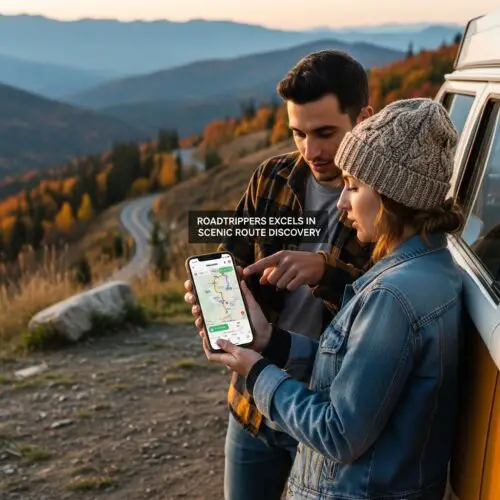
Roadtrippers is all about the journey, not just the destination. It helps you uncover hidden gems and plan scenic routes that make your road trips unforgettable.
Discover hidden gems along your route
Roadtrippers shines when it comes to finding unique attractions. With its easy-to-use interface, you can explore roadside attractions, quirky landmarks, and national parks. Here’s how it works:
- Curated Discoveries: The app suggests interesting stops based on your route. You can find cool diners, scenic viewpoints, and even historical sites.
- Categories to Explore: Attractions are sorted by categories like entertainment, camping, and landmarks, making it easy to choose what piques your interest.
- User Reviews: See what other travelers have to say about each stop. This helps you decide if a place is worth your time.
Create custom itineraries with ease
Planning your trip is straightforward with Roadtrippers. You can create and customize your itinerary on the go.
- Map Your Route: Enter your starting point and destination, then add stops along the way. The app calculates the best route for you.
- Unlimited Stops: Unlike some apps, Roadtrippers allows you to add multiple waypoints, making it perfect for longer journeys.
- RV Mode: If you’re traveling in an RV, Roadtrippers highlights spots that cater specifically to RV travelers, ensuring a comfortable experience.
Roadtrippers vs Google Maps
While Google Maps is fantastic for navigation, Roadtrippers takes it a step further by focusing on the journey. Here’s a quick comparison:
| Feature | Roadtrippers | Google Maps |
|---|---|---|
| Attraction Discovery | Yes (with categories) | Limited |
| Route Customization | Unlimited stops | Limited to 10 stops |
| RV-Friendly Features | Yes | No |
| User Reviews | Yes | No |
In essence, if you’re looking to make your road trip more about the adventure, Roadtrippers is your go-to app. It combines navigation with fun, ensuring you don’t miss out on the quirky and beautiful spots along the way.
3. Waze Provides Real-Time Traffic Alerts
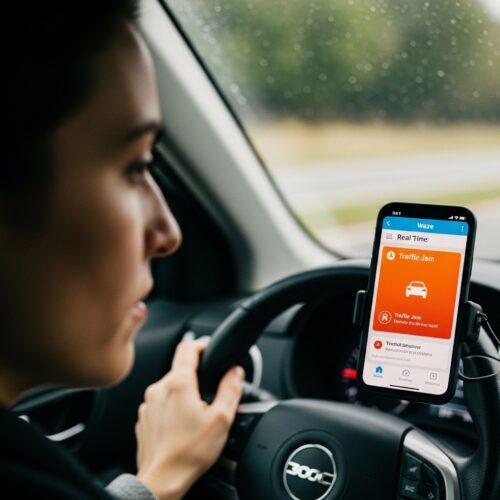
Waze is your go-to app for live traffic updates. It takes the guesswork out of your journey by providing real-time alerts about road conditions. Let’s dive into how it works!
Crowdsourced data keeps you informed
Waze relies on its community of users. Drivers on the road share live updates about accidents, traffic jams, and hazards. This means you’re not just relying on outdated maps or static traffic data.
- User Reports: If there’s a crash ahead, someone will report it. You get a heads-up before you hit the brake lights.
- Real-Time Adjustments: If the road ahead is blocked, Waze will reroute you instantly. This can save you precious time on your trip.
Avoid traffic jams with smart routing
Waze doesn’t just inform you; it actively helps you avoid delays. It analyzes traffic patterns and suggests faster routes.
- Smart Alerts: You’ll receive notifications about speed traps, road closures, and even construction zones. Waze lets you know what’s coming up so you can plan your route better.
- Example Scenario: Imagine you’re hitting the road during rush hour. Waze alerts you to a major accident ahead and reroutes you through side streets. Instead of being stuck in traffic for an hour, you find a smoother path, saving time and stress.
With Waze, you can truly make your road trip seamless. It’s about getting there efficiently while keeping an eye on the road ahead. For more tips on planning your trip, check out the Road Trip Planner App Guidebook.
4. TripIt Organizes Your Travel Itinerary

TripIt is a fantastic tool for anyone looking to keep their travel plans organized. It compiles all your travel details into one cohesive itinerary, making life a lot easier.
Centralize all travel information in one place
With TripIt, you can store all your travel documents in one spot. This includes flight confirmations, hotel bookings, and rental car details. Just forward your confirmation emails to TripIt, and it will automatically create a master itinerary for you.
- Easy Access: You can access your itinerary anytime, anywhere.
- Calendar Integration: It syncs with your calendar, so you never miss an important detail.
- User-Friendly: The app is straightforward, making it easy for anyone to navigate.
Automatic itinerary creation from emails
Imagine you’re planning a multi-destination road trip. You have hotel reservations, flight details, and car rentals scattered across several emails. Instead of digging through your inbox, you simply forward these emails to TripIt.
For example, let’s say you’re traveling from New York to San Francisco, then to Los Angeles. After forwarding your emails, TripIt organizes everything:
1. New York to San Francisco flight
2. San Francisco hotel check-in details
3. Rental car reservation for Los Angeles
Now, you have a clear timeline of your trip, all in one place. Plus, you can easily share your itinerary with friends or family, making group trips even smoother.
TripIt takes the stress out of planning. You can focus more on the journey ahead and less on the paperwork. It’s a game-changer for road trippers!
5. Wanderlog Enhances Collaborative Trip Planning

Wanderlog is a fantastic tool for anyone looking to plan a road trip with friends or family. It allows real-time collaboration, making it easy to organize travel plans together.
Invite Friends to Plan Together
Wanderlog lets you invite friends to join your trip planning. You can share your itinerary and collaborate on details like destinations and activities. Everyone can contribute ideas, making the planning process fun and interactive.
- Create a Shared Itinerary: Add stops, activities, and accommodations together.
- Comment and Discuss: Each member can leave comments, making it easy to discuss options.
- Real-Time Updates: Changes are instantly visible to everyone, keeping everyone on the same page.
Optimize Routes and Budgets Collaboratively
Wanderlog not only helps you plan, but it also allows you to manage your budget as a group. You can track costs, share expenses, and find budget-friendly options together.
- Budget Tracking: Set a budget and track expenses collectively.
- Cost Estimates: Get estimates for gas, accommodations, and attractions based on your route.
- Route Optimization: Easily adjust your plans based on input from the group, ensuring you’re making the most of your travel time and budget.
Example of a Group Trip Planned Successfully Using Wanderlog
Imagine planning a weekend road trip with friends to the national parks. You all want to visit several parks and find fun activities along the way. Using Wanderlog, you:
1. Create a shared itinerary where everyone adds their must-see spots.
2. Discuss options in the comments, debating which trails to hike and where to grab food.
3. Track your costs together, ensuring everyone is comfortable with the budget.
With Wanderlog, your group trip becomes a smooth, enjoyable experience from start to finish.
6. AllTrails is the Best for Outdoor Activities
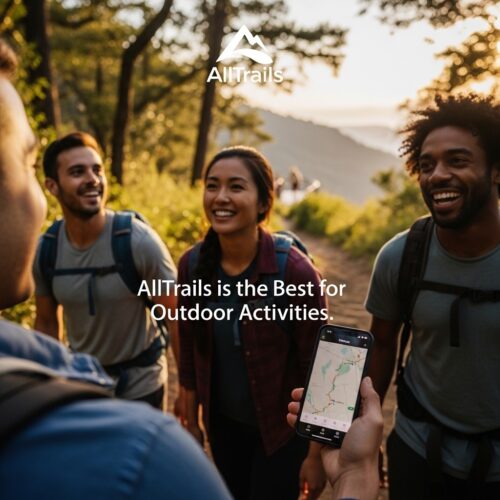
AllTrails is a must-have for anyone looking to spice up their road trip with outdoor adventures. It provides detailed maps, trail information, and user reviews to help you discover hiking trails along your route.
Explore hiking trails with detailed maps
AllTrails offers an extensive collection of trail maps. Users can search for hikes by location, length, difficulty, and even user ratings. This makes it easy to find the perfect trail for your skill level and interests.
- Trail Maps: Get detailed maps that show the path, elevation gain, and estimated time.
- Filters: Narrow down options based on distance, difficulty, and user ratings.
- Offline Access: Download maps to use without cell service. Perfect for remote areas!
User reviews enhance trail selection
User reviews are a game changer. They provide insights from those who have hiked the trails before. This feedback helps you avoid trails that might be too tough or not as scenic as promised.
- Trail Ratings: See how other hikers rated the trail.
- Photos and Tips: Check out photos and tips shared by fellow adventurers.
- Real Experiences: Learn about trail conditions and what to expect.
Real-life usage scenario
Imagine you’re on a road trip through the Pacific Northwest. You want to hike in the Olympic National Park but aren’t sure where to start. By using AllTrails, you find the Hoh Rain Forest Trail.
1. You search for hikes in Olympic National Park.
2. You filter for easy trails and find the Hoh Rain Forest Trail.
3. You read reviews that rave about the lush scenery and unique ecosystem.
4. You download the trail map for offline use.
Thanks to AllTrails, you confidently include this stunning hike in your itinerary, making your trip even more memorable!
7. GasBuddy Helps Find Cheap Fuel
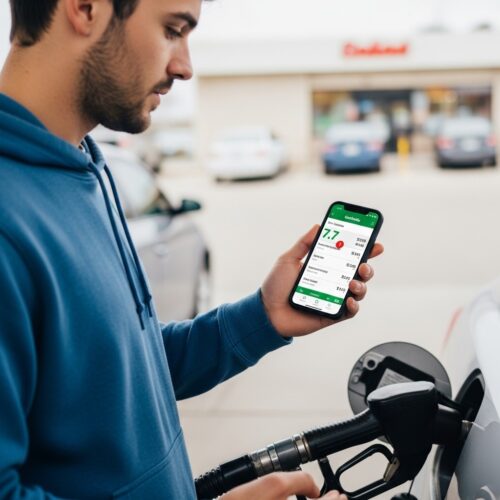
GasBuddy is a lifesaver for road trippers on a budget. It helps you find the cheapest gas prices along your route. No more overpaying at the pump!
Real-time gas price comparisons
GasBuddy uses real-time data to show you the best fuel prices near you. Here’s how it works:
- Enter Your Route: Just plug in your starting point and destination.
- View Prices: GasBuddy displays gas prices at stations along your route.
- Save Money: You can choose where to fill up based on the best deals.
Imagine you’re driving from Los Angeles to San Francisco. You check GasBuddy and find a station offering gas at $3.20 per gallon compared to another at $3.80. If you fill up 15 gallons, that’s a savings of $9!
User-generated data enhances accuracy
GasBuddy relies on user-generated data to keep its prices accurate. This means real people report prices they see at the pump.
- Community Input: Users can update gas prices. This ensures you get the most current information.
- Fuel Price Alerts: Set alerts to notify you when prices drop along your route.
With GasBuddy’s help, you can budget better for your trip. Users rave about how much they save, especially on long drives. Plus, it’s easy to use, making it a must-have for any road trip.
8. Spotify Sets the Perfect Road Trip Mood

Spotify makes your road trip unforgettable with music that fits every vibe. Whether you’re cruising along the coast or driving through the mountains, the right tunes can elevate the journey.
Curate custom playlists for every journey
One of the best features of Spotify is its ability to create custom playlists. Here’s how you can make the most of it:
- Personalized Playlists: Tailor your playlist to match your travel theme. Think “Summer Road Trip” or “Mountain Adventure.”
- Curated Road Trip Playlists: Spotify offers pre-made playlists like “Road Trip Classics” or “Feel-Good Indie.” These are perfect to kickstart your playlist.
- Genre Exploration: Dive into various genres to keep things fresh. From country to pop, there’s something for everyone.
Offline listening for remote areas
Not every stretch of road has great reception. That’s where Spotify’s offline listening feature comes in handy:
- Download Your Favorites: Before you hit the road, download playlists or albums. This way, you won’t miss a beat, even in remote areas.
- Data Saver: Enjoy your music without chewing through your data. Offline listening allows you to save those precious gigabytes for other uses.
Popular road trip playlists to check out
Here are some must-try playlists to consider for your next adventure:
- “Road Trip Classics”: A mix of timeless hits that everyone loves.
- “Chill Vibes”: Perfect for scenic drives and relaxing moments.
- “Feel-Good Indie”: Upbeat tunes to keep your spirits high.
Using Spotify can truly transform your road trip into a musical journey. With the right playlists and offline features, you can keep the good vibes rolling no matter where the road takes you!
9. Apple Music Provides Diverse Audio Options

Apple Music is a fantastic choice for road trip entertainment. With a huge library and curated playlists, it keeps the energy high on your journey.
Access to Vast Music Libraries
Apple Music boasts millions of songs. You can explore genres, artists, and albums with ease. This variety ensures there’s something for everyone in the car.
- Curated Playlists: Discover playlists like “Road Trip Jams” or “Chill Driving”. These are designed to match the vibe of your journey.
- Personalized Recommendations: Apple Music learns your preferences. It suggests tracks and playlists based on what you love to listen to.
Offline Capabilities for Uninterrupted Listening
One of the best features of Apple Music is offline listening. Download your favorite playlists and albums before hitting the road. This way, you won’t need to worry about spotty service or data usage.
- Downloadable Content: Save tracks for offline play, ensuring your music is always accessible.
- Seamless Syncing: Use Apple Music across all your devices. Whether you’re in the car or at a campsite, your playlists are just a click away.
Popular Road Trip Playlists to Check Out
Here are some must-try playlists to consider for your next adventure:
- “Road Trip Classics”: A mix of timeless hits that everyone loves.
- “Chill Vibes”: Perfect for scenic drives and relaxing moments.
- “Feel-Good Indie”: Upbeat tunes to keep your spirits high.
With Apple Music, you’re set for an unforgettable soundtrack. The right playlists and offline features keep the good vibes rolling, no matter where the road takes you!
10. Travel Blogs Offer Real Insights and Tips

Travel blogs are treasure troves for road trip enthusiasts. They give you more than just directions—they share real experiences and hidden gems. Let’s dive into how these blogs can enhance your journey.
Find authentic reviews and recommendations
Travel blogs provide personal insights that apps often miss. Here’s why they’re valuable:
- First-Hand Experiences: Bloggers share their stories. You get to read about their adventures, mishaps, and favorite spots.
- Detailed Itineraries: Many blogs offer full trip itineraries. This helps you plan your own route with confidence.
- Hidden Gems: Travel bloggers uncover lesser-known attractions. You might find a quirky diner or a stunning viewpoint off the beaten path.
Learn from experienced travelers’ stories
Blogs often feature tips from seasoned road trippers. Here are some benefits:
- Practical Advice: Get tips on timing, traffic, and must-see attractions. It’s like having a travel buddy who’s been there before.
- User Reviews: Many blogs include user feedback on places to visit. This helps you gauge whether a stop is worth your time.
- Community Insights: Bloggers often interact with their readers. You can ask questions and get tailored advice.
Top Travel Blogs for Road Trip Insights
Here’s a quick list of popular travel blogs known for their road trip content:
- More Than Just Parks: Offers detailed itineraries and stunning photography.
- A Trip Info: Focuses on practical travel hacks and road trip essentials.
- Best Road Trip: Provides guides and local tips for various destinations.
Using travel blogs alongside your favorite apps can give you a richer road trip experience. They fill in the gaps left by technology, making your journey more enjoyable.
11. Google My Maps is for Personalized Route Planning
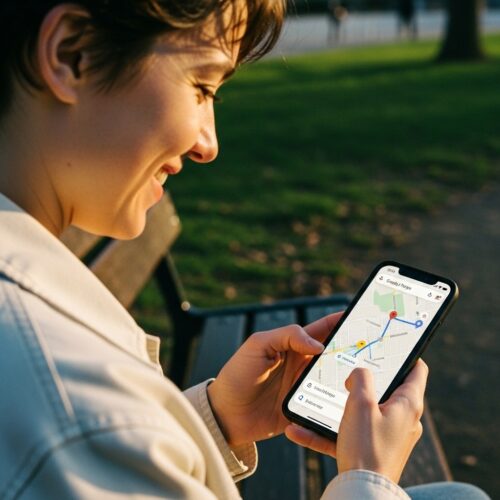
Google My Maps is a fantastic tool for creating custom maps tailored to your road trip. It allows you to add specific waypoints, making your journey unique and enjoyable.
Customize your route with personal waypoints
With Google My Maps, you can plot your route exactly how you want it. Here’s how it works:
- Add Waypoints: Drop pins on locations you want to visit. This can be anything from a quirky roadside attraction to a hidden gem restaurant.
- Color Code: Organize your stops by categories like food, sights, or activities. This makes it easy to find what you need during your trip.
- Route Adjustments: Drag your route to adjust it easily. Want to take a scenic detour? No problem!
Example: Imagine planning a trip from Los Angeles to San Francisco. You can add waypoints for the Santa Barbara beaches, Hearst Castle, and the famous Big Sur coastline. Each stop is clickable, giving you quick access to details.
Share maps with friends for collaborative planning
Planning a road trip is more fun with friends! Google My Maps makes sharing your custom maps easy.
- Invite Friends: Share your map with friends or family. They can add their own suggestions and edits.
- Collaborative Planning: Everyone can contribute their favorite spots, making the trip more inclusive.
- Real-Time Updates: If plans change, you can quickly update the map and notify everyone.
Scenario: You and your friends are planning a weekend getaway. You create a map with potential stops, share it, and everyone adds their must-see locations. This way, you have a diverse itinerary that suits everyone’s interests.
Using Google My Maps not only helps you plan a personalized route but also fosters collaboration among your travel buddies. It’s a simple yet powerful way to enhance your road trip planning experience.
12. Park4Night is Ideal for Camping Road Trips

Park4Night is a fantastic app for finding camping spots and amenities. It’s perfect for road trippers who want to explore the great outdoors without the hassle of searching for places to stay.
Find campsites and RV parks easily
With Park4Night, you can easily locate campsites, RV parks, and even wild camping spots. The app features a user-friendly interface that allows you to filter by location and amenities. Here’s what you can expect:
- Campsite Listings: Access a wide variety of camping options, from formal campsites to hidden gems.
- User Contributions: The community shares their favorite spots, ensuring you have plenty of choices.
- Map Integration: See all the locations on a map for easy navigation.
Community-driven reviews enhance choices
One of the best features of Park4Night is its user reviews. These reviews help you make informed decisions about where to stay. Here’s how it works:
- Real Experiences: Users share their experiences, including pros and cons of each location.
- Photos: Check out photos from other campers to get a feel for the spot before you arrive.
- Ratings: Each campsite has a rating system, allowing you to quickly gauge its quality.
For example, a camper named Sarah found a beautiful spot in the mountains through Park4Night. She loved the detailed reviews and found a site with great amenities, like clean bathrooms and picnic tables. This kind of community feedback can greatly enhance your camping experience.
Using Park4Night on your road trip can make finding the perfect camping spot a breeze. It’s like having a friendly guide right in your pocket!
13. Komoot is Excellent for Outdoor Navigation
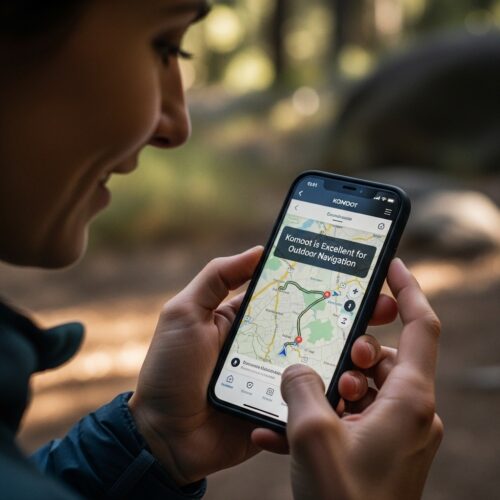
Komoot is a fantastic tool for planning hiking and biking routes. It’s designed to help you explore the great outdoors with ease and confidence.
Plan detailed outdoor adventures
With Komoot, you can create detailed routes tailored to your adventure needs. Whether you’re hitting the trails on foot or biking through scenic paths, this app has you covered.
- Route customization: Select your starting point, destination, and any waypoints you want to include.
- Trail conditions: Get real-time information about trail conditions, which is super helpful for planning.
- Community insights: Read user-generated tips and reviews about trails to discover hidden gems.
Offline maps for remote trails
One of Komoot’s standout features is its offline maps. This is a game-changer for outdoor enthusiasts.
- Downloadable maps: Save specific areas to your device, so you can navigate even without a signal.
- Easy access: Access your maps anytime, ensuring you won’t get lost while exploring.
- User-friendly interface: The app is intuitive, making it simple to find your way around remote trails.
Real-life usage scenario
Imagine you’re planning a weekend hike in the mountains. You open Komoot, select your starting point, and add a few scenic viewpoints as waypoints. As you map out your route, you notice a few trails that other users raved about. You can even download the map before you head out, so you’re set to explore without worrying about losing service. This level of planning can make your outdoor adventure much more enjoyable.
Komoot is a must-have for anyone looking to enhance their outdoor experiences while road-tripping in 2026!
14. Road Trip Planner by Roadtrip is User-Friendly
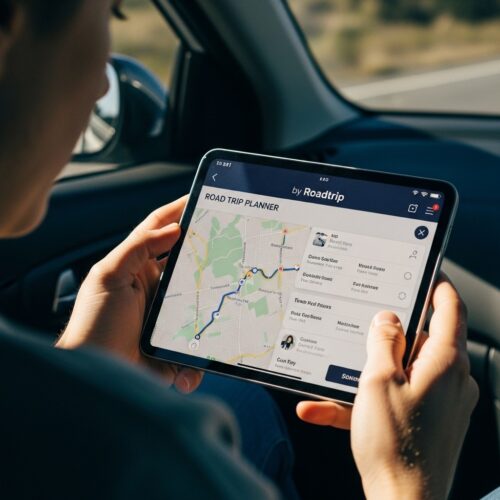
Planning a road trip doesn’t have to be a hassle. The Road Trip Planner by Roadtrip makes it super easy to organize your adventure. Let’s dive into its features!
Easy interface for quick planning
The Road Trip Planner boasts a simple interface. You can quickly input your starting point and destination. The app will generate a route for you, including all the stops along the way. You can customize your trip by adding attractions, restaurants, and scenic viewpoints.
Key features include:
- Drag-and-drop functionality: Adjust your route with ease.
- Attraction suggestions: Discover popular spots nearby.
- Estimated travel time: Know how long each leg of your trip will take.
Save and share itineraries seamlessly
Once your trip is set, sharing it is a breeze. You can save your itinerary and send it to friends or family. This way, everyone is on the same page for the journey ahead.
Imagine planning a spontaneous weekend getaway. You decide to hit the road on Friday after work. Using the Road Trip Planner, you set your starting point, add a few fun stops, and share the trip details with your friends in minutes. No more back-and-forth texts!
Real-life usage scenario
Consider Sarah, who wanted a quick escape from the city. With just a few taps on the Road Trip Planner, she mapped out a route to a nearby national park. She added a couple of must-see viewpoints and a restaurant along the way. After saving her itinerary, she shared it with her friends. They were all set for a spontaneous adventure by Saturday morning!
Using tools like the Road Trip Planner can turn a last-minute idea into an unforgettable journey. It’s perfect for making your road trip planning smooth and enjoyable!
15. PackPoint Helps You Organize Your Packing List
PackPoint is a game-changer for anyone who struggles with packing. It creates customized packing lists based on your trip details. All you need to do is enter your travel destination, dates, and activities.
Generate lists based on trip details
PackPoint analyzes your itinerary. It considers the weather and activities you’ve planned. Here’s how it helps:
- Weather Forecasting: Get suggestions based on the forecast for your trip. No more overpacking for sunny days!
- Activity-Specific Suggestions: Heading for a hiking trip? Pack your boots and gear. Planning a beach day? Don’t forget the sunscreen!
- Personal Preferences: Adjust settings to fit your style. Are you a minimalist or do you like options? PackPoint has you covered.
Customizable for personal preferences
You can tailor your list to your liking. Choose categories like clothing, toiletries, and tech gadgets. Here’s what you can do:
- Add or Remove Items: Feel free to tweak the list. If you prefer your favorite shampoo over the recommended brand, go for it!
- Save Lists for Future Trips: Create templates for different types of trips. Just pull up a previous list and adjust as needed.
Success Stories of Users Packing Effectively for Trips
Many travelers rave about PackPoint’s effectiveness. Take Emma, for example. She used PackPoint for her road trip along the coast. By inputting her itinerary, she received a detailed packing list. Emma felt confident knowing she had everything she needed. No forgetting essentials means more fun on the road!
PackPoint is more than just a packing tool. It helps you travel smarter, ensuring you’re always prepared for your next adventure.
16. Roadtrippers Plus Offers Advanced Features

Roadtrippers Plus takes your trip planning to the next level. It’s perfect for serious road trippers who want more than just basic navigation. Here’s what you can expect.
More Waypoints and Advanced Planning Tools
With Roadtrippers Plus, you can plan multi-stop routes with ease. The free version is great, but it limits you to just a few waypoints. The Plus version allows for unlimited stops, making it ideal for extensive road trips. This is crucial if you want to explore various attractions along the way.
- Unlimited Waypoints: Add as many stops as you like.
- Enhanced Itinerary Management: Organize your trip with more detailed planning features.
- Customizable Route Options: Choose scenic routes or fastest paths based on your preferences.
In-App Features That Enhance Discovery
Roadtrippers Plus shines in its discovery tools. It highlights unique roadside attractions, quirky landmarks, and local diners. Here’s how it sets itself apart:
- Curated Recommendations: Get suggestions tailored to your route.
- User Reviews and Ratings: See what other travelers think about stops before you go.
- Offline Maps: Access your route even without cell service.
User Experiences with Roadtrippers Plus
Travelers who upgraded to Roadtrippers Plus often rave about the added features. For example, one user mentioned using the unlimited waypoints to plan a cross-country trip. They discovered hidden gems they would have missed otherwise. With the Plus version, road trips become not just about the destination, but the adventure itself.
Free vs. Plus: A Quick Comparison
| Feature | Free Version | Plus Version |
|---|---|---|
| Waypoints | Limited to 7 | Unlimited |
| Itinerary Management | Basic | Advanced |
| Custom Route Options | No | Yes |
| Offline Maps | No | Yes |
| Curated Discovery | Limited | Enhanced |
Choosing between the free and Plus version depends on your travel style. If you’re a casual traveler, the free version might suffice. However, if you love exploring and want a seamless experience, Roadtrippers Plus is worth considering.
17. TripAdvisor for Restaurant and Activity Reviews

TripAdvisor is a go-to app for finding great places to eat and fun things to do on your road trip. With tons of user-generated reviews, it helps you skip the tourist traps and discover hidden gems.
User-generated reviews guide food choices
TripAdvisor shines when it comes to food recommendations. Travelers share their experiences about restaurants, cafes, and food trucks. You can easily see which spots are crowd favorites and which ones to avoid. Here’s how it works:
- Real Insights: Read honest reviews from fellow travelers.
- Ratings: Each place has a star rating, making it easy to gauge overall quality.
- Photos: Check out user-uploaded images to see what the food really looks like.
For example, if you’re driving through a small town, you can quickly find a highly-rated diner known for its homemade pie. Instead of wandering aimlessly, you can head straight to the best spot.
Find top-rated stops along the way
Beyond just food, TripAdvisor helps you find attractions and activities. Whether you’re looking for quirky roadside attractions or must-see museums, user reviews help filter your options.
- Categories: Explore restaurants, attractions, and experiences all in one place.
- Maps: Use the app’s map feature to locate stops on your route.
- Filters: Narrow down choices by rating, distance, or type of cuisine.
Imagine you’re on a scenic drive and want to take a break. You can pull up TripAdvisor and discover a highly-rated local ice cream shop or a unique art installation nearby. This app helps you make the most of your stops, ensuring they’re worth your time.
With TripAdvisor, your road trip becomes a culinary and cultural adventure. Enjoy the journey and the delicious discoveries along the way!
18. Free Maps.me for Offline Navigation

Maps.me is a fantastic tool for offline navigation. It’s perfect for road trippers who venture into areas with limited connectivity. This app lets you explore without worrying about losing your signal.
Navigate without internet access
Maps.me allows you to download maps for entire regions. This way, you can access them anytime, anywhere. No data? No problem! You can find your way and discover new spots without missing a beat.
Detailed offline maps for remote areas
The maps are detailed and user-friendly. You’ll find points of interest like restaurants, gas stations, and attractions. Here are some key features:
- Offline Accessibility: Download maps before your trip.
- User-Friendly Interface: Easy to navigate and find your way.
- Points of Interest: Discover local attractions even in remote areas.
User experiences highlight how well Maps.me performs in low-connectivity regions. For instance, one traveler shared how they relied on Maps.me while exploring the backroads of a national park. They found stunning viewpoints and hidden trails without needing cell service.
Maps.me stands out as a reliable companion for any road trip. With its offline capabilities, you can confidently explore without the stress of finding a signal.
Frequently Asked Questions
These quick answers cover the most common questions about this topic, including key details, practical tips, and common concerns.
What is the #1 travel app?
Google Maps is widely regarded as the top travel app for road trips. It offers reliable navigation, real-time traffic updates, route customization, and offline maps. Its extensive features make it essential for most travelers.
Is there a free version of Roadtrippers?
Yes, Roadtrippers offers a free version that allows you to plan routes, discover attractions, and add stops. However, some advanced features like unlimited waypoints and offline maps require a paid subscription to Roadtrippers Plus.
What’s the best free route planner?
Google Maps is considered the best free route planner for most users. It provides accurate directions, multiple stops, traffic info, and offline access. For more scenic or attraction-focused planning, Roadtrippers is also highly recommended.
Is Wanderlog actually free?
Yes, Wanderlog is free to use. It allows collaborative trip planning, itinerary management, and route optimization without charge. Some premium features may require a subscription, but the core planning tools are free.
How can I optimize my road trip using apps?
Use a combination of apps: Google Maps for navigation, Roadtrippers for scenic stops, GasBuddy for cheap fuel, and Spotify or Apple Music for entertainment. Plan your route, add interesting stops, and download offline maps for remote areas.
What are common mistakes in road trip planning?
Common mistakes include overloading your schedule, ignoring real-time traffic updates, forgetting to download offline maps, and not accounting for fuel or rest stops. Using multiple apps can help avoid these issues.
How do I choose the best app for my road trip?
Consider your needs: navigation (Google Maps or Waze), attraction discovery (Roadtrippers), camping (Park4Night), or outdoor activities (AllTrails). Read reviews, compare features, and select apps that complement each other for a seamless experience.
When should I start planning my road trip?
Start planning at least 2-4 weeks in advance. This gives you time to research destinations, book accommodations, and download necessary maps or apps. Early planning also helps you discover hidden gems and avoid last-minute surprises.